How to Cut AI Coding Assistant Costs Without Hurting Developer Productivity
Cutting AI Costs Without Cutting Developer Productivity — a practical guide for engineering leaders: visibility, tiered access, hybrid models and self-hosting.
By TPU Systems Inc. · · 12 min read
AI coding assistants have moved from interesting experiments to core engineering infrastructure. In many technology companies, developers now rely on tools such as Claude Code, GitHub Copilot, Cursor, and other AI-powered assistants to write code, understand unfamiliar systems, generate tests, refactor legacy modules, and accelerate delivery.
That productivity gain is real. But so is the cost.
A department with 45 software engineers paying an average of $200 per engineer per month for a premium coding assistant is spending about $9,000 per month, or $108,000 per year, before accounting for API overages, non-engineering AI subscriptions, and the management time required to govern the tools. When AI spending grows faster than headcount or delivered output, engineering leaders need a disciplined response.
The answer is not simply to cancel AI tools or force every developer onto the cheapest plan. That approach may reduce the invoice, but it can also reduce velocity, increase rework, and push engineers back toward manual work that AI handled well.
The better approach is to treat AI as a managed production service: measure its value, control its most expensive usage patterns, right-size access, and use lower-cost capacity for routine work. For some organizations, self-hosting open-weight models such as DeepSeek, GLM, Qwen, or other coding models can also become part of the solution—but only when the economics and operational requirements are understood.
Start with visibility
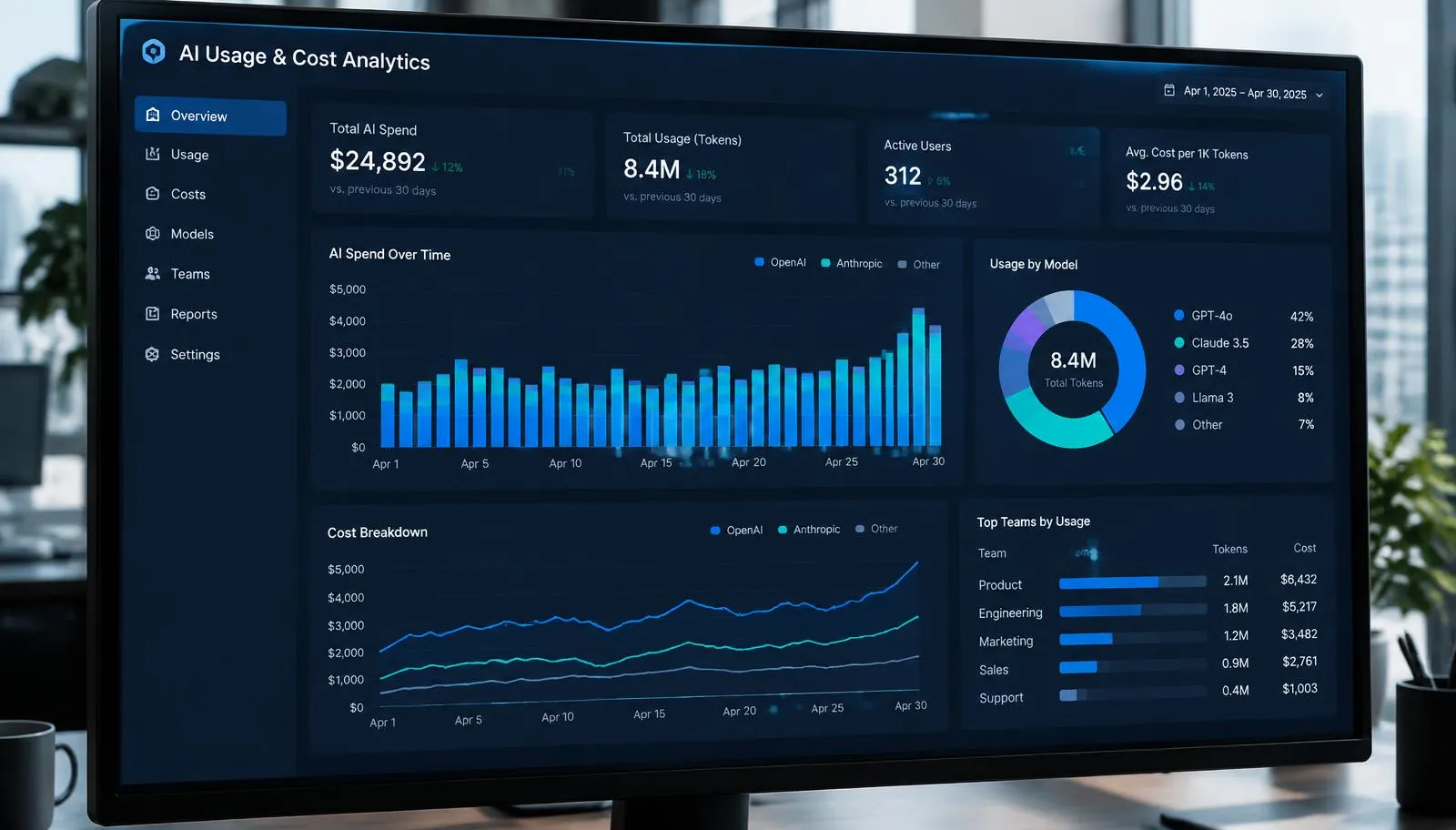
An AI usage dashboard shows which teams, models and workflows drive spend.
Most AI-budget problems begin with poor visibility.
Engineering leaders often know the total subscription bill, but not which teams, projects, models, or workflows consume the most capacity. They may know that AI spending increased, but not whether the increase came from productive engineering work, exploratory agent sessions, duplicate tools, or poorly configured prompts.
Before changing plans or buying hardware, build a complete inventory:
Every AI subscription and seat.
Monthly cost by user, team, and department.
Active users versus assigned seats.
Coding-assistant usage by task type.
API and token overage charges.
Non-engineering AI tools and overlapping capabilities.
Usage patterns by model, agent mode, and context length.
Engineering outcomes: merged pull requests, accepted changes, cycle time, rework, and defects.
This inventory usually reveals immediate savings opportunities. Duplicate tools, unused seats, overlapping capabilities, and low-usage accounts are common. More importantly, it identifies the small group of users and workflows that drive a disproportionate share of cost.
The goal is not to punish high users. A senior engineer working on a complex migration may legitimately consume far more AI capacity than a developer writing routine features. The goal is to distinguish high-value usage from waste.
Control the expensive patterns
AI coding assistants do not cost money simply because developers use them. Costs rise when the system is asked to do expensive work inefficiently.
The biggest cost drivers are usually:
Large context windows and repeated repository scanning.
Long autonomous sessions with limited human review.
Extended thinking enabled by default.
Parallel agents or subagents running simultaneously.
Premium models used for simple tasks.
Repeated attempts at the same task with slightly different prompts.
Poorly scoped requests that cause the model to explore unnecessary code.
These patterns can be controlled without eliminating AI access.
For example, a department can establish a default policy: use a lower-cost model for documentation, unit tests, small refactors, code explanation, and routine bug fixes. Reserve premium models for architecture decisions, difficult debugging, security-sensitive changes, large migrations, and complex cross-repository work.
Similarly, extended thinking and parallel agents should not be default settings. They can be valuable for difficult problems, but they can consume several times more capacity than a standard session. Make them opt-in for approved work rather than available by default to every engineer.
Context management is another major lever. A concise project instruction file, architecture summary, coding standards, test commands, and exclusions for generated files, dependencies, logs, and build artifacts can reduce the amount of irrelevant material sent to the model. Smaller context often produces better answers as well as lower cost.
Right-size access by role
A single AI plan for every engineer is convenient, but it is rarely efficient.
Some engineers will use AI heavily because they work on complex systems, migrations, or production incidents. Others may use it occasionally for documentation or simple code changes. Giving everyone the same high-cost entitlement creates waste.
A tiered access model is usually more effective:
User group
Access approach
High-impact engineers
Premium model access, higher usage cap, priority during incidents
Standard engineers
Standard plan or internal model, monthly quota, cost-aware defaults
Light users
Lower-cost plan, restricted model access, shared capacity
New hires
Trial access with coaching and usage guidance
Non-engineering staff
Consolidated general-purpose AI tool, not coding-agent seats
This approach preserves capability where it creates value while preventing blanket over-provisioning. It also creates a fair, transparent framework: engineers know what access they have, what happens when they reach a limit, and how to request an exception for legitimate high-value work.
Set alerts before users hit hard limits. A warning at 70% and 90% gives engineers time to adjust their workflow, while a monthly cap prevents uncontrolled overage. Exceptions should be fast and simple for production incidents, urgent migrations, or other business-critical work.
Measure value, not tokens
Token consumption is an input metric, not a business outcome.
A developer who consumes many tokens may be working on a difficult migration. Another developer may consume fewer tokens but produce low-quality output that requires extensive review. Measuring only spend can lead to poor decisions.
Track a small set of outcome metrics alongside cost:
AI-assisted pull requests opened and merged.
Acceptance rate of AI-generated changes.
Rework required before merge.
Review comments per changed line.
Cycle time from first commit to merge.
Defect escape rate.
Developer-reported time saved.
Cost per accepted change.
Cost per completed work item.
A useful ROI calculation is:
ROI = Estimated value created − AI costAI cost
For example, if an engineer spends $240 per month on AI tools and the validated value of their AI-assisted work is $1,000 per month, the estimated ROI is approximately 317%.
Use conservative assumptions. Self-reported time savings should be discounted because developers often overestimate benefits. A confidence factor of 0.5 is a reasonable starting point when the estimate is based only on survey responses. Increase the confidence factor only when the estimate is supported by cycle-time improvements, accepted changes, or controlled before-and-after comparisons.
The most important metric is not “tokens per engineer.” It is cost per accepted, high-quality engineering outcome.
Survey developers
Usage data tells you what engineers do. Developer surveys tell you why they do it and whether the tool is actually helping.
A short quarterly survey can provide valuable insight:
How often do you use the AI coding assistant?
Which tasks create the most value?
Which tasks waste time or tokens?
How much time do you estimate the tool saves each week?
Has code quality improved, declined, or remained unchanged?
How often does output require significant rework?
What cost reduction would least affect your productivity?
What change would most reduce your productivity?
Ask engineers to identify the least disruptive cost-control measure. In many organizations, the answer is not “remove the tool.” It is “use a cheaper model for routine work,” “limit parallel agents,” or “reduce unnecessary repository scanning.”
This feedback helps leaders make changes that protect productivity while reducing spend.
Consider self-hosting carefully
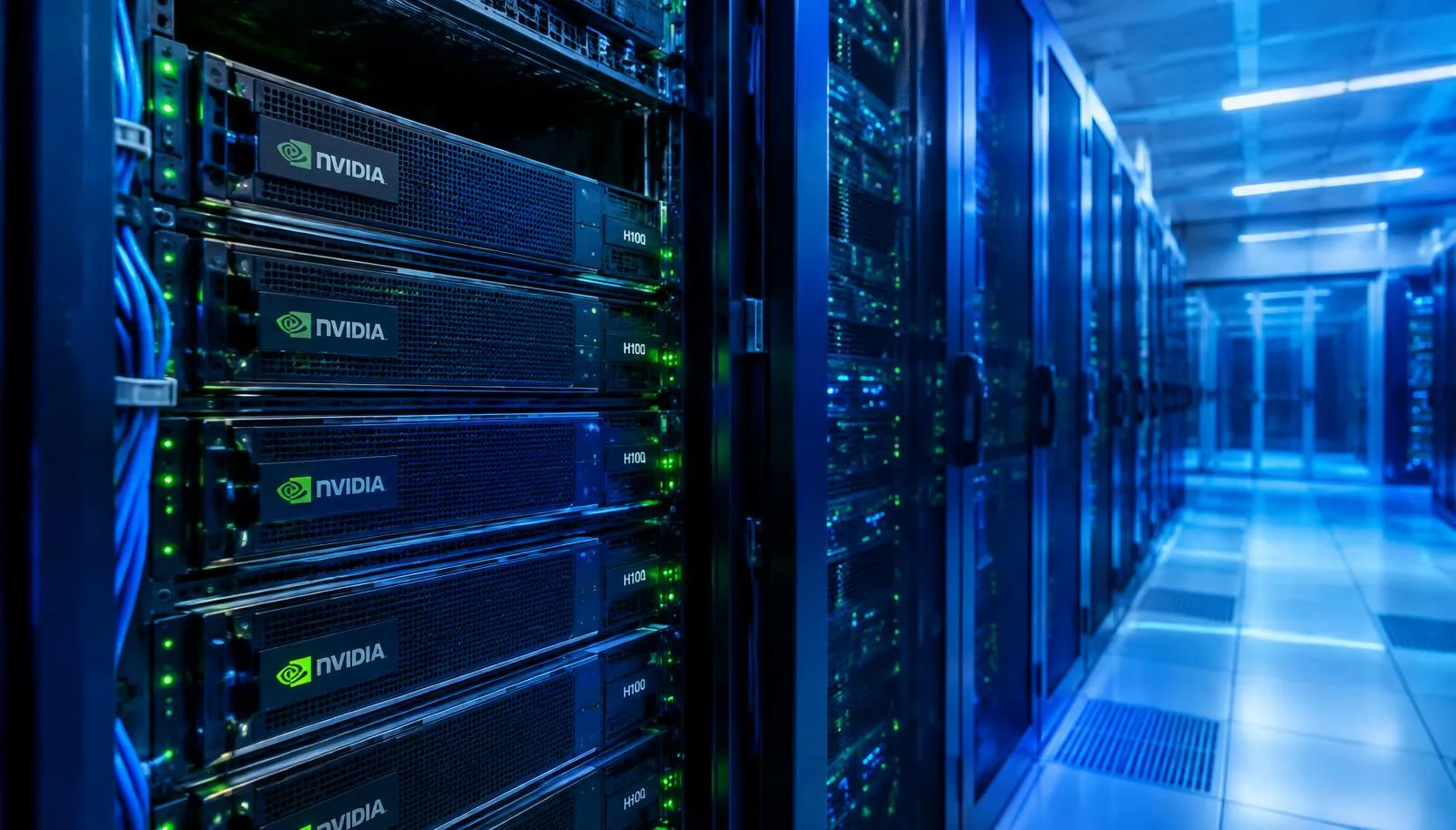
Self-hosted GPU servers can run open-weight coding models on private infrastructure.
Self-hosting open-weight models is increasingly attractive. Models such as DeepSeek, GLM, Qwen, and other open-weight coding models can run on private infrastructure, reducing per-token API costs and giving the organization more control over source code, prompts, and usage data.
Self-hosting can make sense when an organization has:
High, steady AI usage.
Strong data-confidentiality requirements.
Existing GPU or platform-engineering capability.
Repetitive workloads suitable for smaller models.
A desire to reduce dependence on a single vendor.
A need to serve multiple departments beyond engineering.
But self-hosting is not automatically cheaper.
The hardware is only one part of the cost. A production AI platform also needs power, cooling, networking, storage, monitoring, security, model upgrades, support, and skilled staff. The largest hidden cost is often the platform engineering time required to keep the service reliable, secure, and useful.
For a department of 45 engineers, a 2x A100 80GB server may be enough for a pilot or focused service. A 4x A100 80GB server can support a broader departmental workload. An 8x H100 or H200 server is a serious infrastructure investment that usually makes sense only when it serves multiple departments or replaces a much larger external AI bill.
Previous-generation hardware can reduce upfront cost significantly. Used A100 80GB GPUs, for example, can run many of the same quantized models as H100s, although they are slower and lack newer efficiency features. The right question is not whether an older GPU can run a model; it is whether it can deliver acceptable latency, quality, and concurrency for the workloads your developers actually perform.
A practical self-hosting architecture
For organizations exploring self-hosting, the recommended starting point is not a large GPU cluster. It is a controlled pilot.
Deploy vLLM or a similar inference server on a small A100 cluster, expose it through an internal OpenAI-compatible gateway, and connect it to developer tools such as VS Code, JetBrains, Continue, Cline, or Aider.
A practical architecture looks like this:
Developer tools
Internal AI gateway
vLLM inference service
Open-weight coding model
Internal code and documentation index
The gateway is essential. It provides authentication, per-user quotas, model routing, audit logging, and usage analytics. Developers should not connect directly to a GPU server without controls.
Start with a 14B or 32B open-weight coding model. These models can handle a meaningful share of routine work: unit tests, documentation, small refactors, code explanation, and straightforward bug fixes. Reserve larger models for selected complex tasks, and retain a premium cloud model for the work where frontier reasoning still provides a clear advantage.
A 2x A100 80GB system can support a 14B model and a meaningful number of concurrent requests. A 4x A100 80GB system can support a 32B model and provide more capacity for a department. Larger models require more memory, more GPUs, and more careful capacity planning.
The capacity question is not simply “How many developers can use the server?” It is “How many developers can use it while maintaining acceptable response times and output quality?”
A large model may technically support 100 concurrent requests under favorable conditions, but interactive coding agents need low latency and meaningful context. In practice, a large model may support 20–50 active coding sessions, while a smaller 7B–14B model can support hundreds of concurrent requests.
Use a hybrid model strategy
A hybrid strategy routes routine work in-house and escalates complex work to premium cloud models.
The most durable cost strategy is usually hybrid.
Use low-cost or self-hosted models for high-volume, predictable work. Use premium models for work that requires stronger reasoning, broader context, or higher reliability.
Workload
Recommended route
Code completion
Low-cost or self-hosted model
Unit tests and documentation
Low-cost or self-hosted model
Simple refactors
Low-cost or self-hosted model
Internal codebase questions
Self-hosted model plus retrieval
Standard feature work
Internal model, with escalation option
Complex debugging
Premium cloud model
Architecture and security
Premium cloud model
Production incident response
Premium model with pre-approved access
This approach avoids the false choice between “expensive AI for everyone” and “no AI for anyone.”
It also creates a natural upgrade path. As open-weight models improve, more work can move to internal capacity. As workloads become more complex, the system can escalate to a premium model.
Avoid common mistakes
Several mistakes can turn an AI-cost initiative into a productivity problem.
Do not cut access based only on token usage. Do not force every engineer onto the same low-cost plan. Do not buy GPUs before measuring demand. Do not assume that a cheaper model will produce the same quality of output. Do not overlook the cost of operating a self-hosted platform. And do not treat AI spending as an isolated IT expense when it affects engineering velocity, quality, and time to market.
Also avoid relying on vendor discounts as the primary savings strategy. At a 45-seat level, meaningful negotiation may not be available. The real leverage comes from controlling usage, improving workflows, and choosing the right model for each task.
A 90-day plan
A practical 90-day plan looks like this:
Days 1–30: Establish visibility. Inventory all AI subscriptions, seats, tools, and usage. Identify the highest-cost users, teams, models, and workflows. Implement basic reporting and alerts.
Days 31–60: Apply controls. Set model-routing policies, limit expensive agent modes, reduce unnecessary context, standardize prompts, and introduce tiered access. Cancel duplicate or low-usage non-engineering tools.
Days 61–90: Pilot alternatives. Run a controlled pilot using a lower-cost model or self-hosted open-weight model. Measure quality, latency, acceptance rate, rework, developer satisfaction, and cost per accepted change.
At the end of 90 days, leadership should have enough evidence to decide which workloads can remain on premium cloud models, which can move to lower-cost capacity, and whether self-hosting is economically justified.
The right goal
The goal is not to minimize AI spending. It is to maximize the value created per dollar spent.
A well-governed AI program should reduce waste, improve developer experience, protect code quality, and give engineering leaders a clear view of cost and outcomes. It should preserve premium capacity for the work where it creates the most value while moving routine work to more economical options.
For many organizations, the best answer is not a single vendor, a single model, or a single deployment model. It is a managed AI platform that routes work intelligently, measures outcomes, and gives leaders the ability to adjust capacity as needs change.
AI can be one of the highest-return investments in an engineering organization. But only if it is managed with the same discipline applied to cloud infrastructure, software licenses, and headcount: measure it, control it, improve it, and align it with business outcomes.